Third-Party 400G Optics for Arista: A Practical Compatibility Checklist
Evaluating third-party 400G optics for Arista? Check the exact host, EOS release, optical peer, FEC, monitoring and module revision before a larger order.

AXONODE / NETWORK DEPLOYMENT
Before a second-source optic becomes a production spare, establish exactly what was tested—and what needs to stay the same.
Approve a third-party 400G optic only for a documented combination of host model, port mode, EOS release, module revision, optical peer and test evidence. A readable part number or a live link alone does not qualify the module for every Arista platform or future order.
“Arista-compatible” is a useful starting point for a quotation. It is a poor description of an acceptance test.
The useful question is more specific: will this module work in the selected port, on the installed EOS release, with the optic at the other end—and recover as expected after an interruption?
For a first evaluation, we would keep the scope small: one documented host configuration, one identified module version and the intended link partner. Qualify that combination before expanding it to other platforms or a larger order. The checklist below is a proposed evaluation method, not a claim that every third-party module passes it.
Start with the port, not the Arista logo
Ask for the full switch or router model, the line card where applicable, the selected port and the EOS release. Then confirm the form factor, electrical interface and intended port mode. Native 400GbE and a breakout configuration belong in different test records.
Arista's transceiver guide lists minimum EOS versions for its own optics and notes that the switch has its own software requirements. Read the platform documentation alongside the optics information. Those tables describe Arista-listed products; they do not automatically validate a third-party module carrying a similar description. [1]
That distinction is worth keeping in a purchase request. “Tested on Arista” should lead to a follow-up: which hardware, which port, which software and which module revision? A test on an unidentified switch is difficult to reuse when the next deployment behaves differently.
For a mixed-platform network, we would build a small set of qualified combinations rather than treat a single successful test as approval for the entire fleet.
Ask what the coding actually proves
Reading a vendor name, part number and serial number is useful. It shows that the host can obtain identification information. It does not establish that the optical link will carry traffic reliably.
Modern module management goes beyond those identity fields. The OIF's Common Management Interface Specification, or CMIS, defines a common host-to-module management interface for pluggable modules. For a CMIS-managed candidate, ask the supplier to identify the supported management-interface revision and module firmware, then verify initialization in the intended host. [2]
A coding profile cannot change the module's physical optical interface or the host's hardware capabilities. Keep the supplier identity, module revision and serial-number traceability clear; an OEM-looking identifier is not evidence of OEM manufacture or approval.
If the host, port, software and link inputs are still incomplete, use the optical transceiver compatibility check guide before approving a sample request.
Also settle the support process before testing. Ask the Arista account or support team about the third-party enablement and support conditions applicable to the installation. Ask the optics supplier who handles module diagnostics, firmware issues and replacements. A working link and an equipment vendor's support commitment are separate questions. Do not assume either from the phrase “compatible coding.”
Put the far-end optic in the test record
Host acceptance is only one side of the job. The two optical interfaces must also interoperate.
Arista makes a useful distinction in its 400G FAQ: OSFP and QSFP-DD are different physical form factors, but modules in those different packages can communicate when they implement the same Ethernet media type. The package at each end does not have to look identical; the optical interfaces must match. [3]
Record the far-end part number and its actual specification. For an ER4 or other extended-reach product, compare the two suppliers' optical requirements rather than accepting a matching distance label as proof. Include the fiber route, measured loss and any patching or optical equipment between the sites.
For coherent ZR, keep a separate qualification record. Arista's EOS documentation identifies frequency configuration, coherent operating features and platform-dependent deployment limits. It also notes that some third-party coherent modules may omit optional controls or diagnostic properties. An ER4 result should not be carried across to a ZR candidate merely because both use a 400G port. [4]
Agree on the evidence before testing the sample
Before inserting the module, decide what result would justify a larger order. We would write down the intended link mode, traffic test, observation period, environmental conditions and recovery checks. The acceptance criteria should come from the operator's requirements and the applicable equipment and module specifications.
A factory optical report is useful evidence about the unit tested. It is not a substitute for operation in the target host unless the report actually identifies that host and the relevant configuration. When the supplier does not have the customer's Arista model available, say so and arrange the host-level evaluation with the operator.
For the first stage, establish that the module initializes, the port reaches its intended speed and traffic passes in both directions. Save the starting counters and timestamps before the observation period. Keep the peer configuration with the local configuration.
The following are read-only EOS examples for collecting part of that evidence. Replace Ethernet1/1 with the correct interface and check command availability for the installed release and platform. These commands do not enable third-party optics or change port settings. [4][5]
show interfaces Ethernet1/1 status
show interfaces Ethernet1/1 transceiver
show interfaces Ethernet1/1 transceiver dom thresholds
show interfaces Ethernet1/1 phy
show interfaces Ethernet1/1 counters errors
Use the platform's appropriate commands for additional FEC statistics; not every metric appears in these outputs. Read identification, link state and counters together rather than treating a single output as the test result. [4][5]
Read FEC and optical monitoring together
Forward error correction is part of the link design. FEC can correct errors within the capability of the selected code, so a nonzero corrected-error count is not, by itself, proof of a defective optic. Equally, correction activity is not a reason to disregard deteriorating signal quality. Cisco's FEC explanation describes both the purpose and the finite correction capability of these codes. [6]
We would record the configured and operational FEC mode, the observation interval, and available pre-FEC, corrected and uncorrectable statistics. Check rates and trends against the guidance for that exact interface. There is no single BER threshold that this article can apply to every 400G client and coherent mode.
Investigate new uncorrectable errors, CRC/FCS errors, packet loss and link flaps before acceptance. Those observations are reasons to investigate the complete link, not an automatic diagnosis of a bad module. Retain before-and-after counters so an old total is not mistaken for a new event.
Digital Optical Monitoring, or DOM, adds temperature, voltage and optical measurements where supported. Arista documents both instantaneous DOM readings and a separate performance-monitoring facility, which requires enabling to collect interval statistics. Enhanced measurements depend on the optics' capabilities. [5]
Capture the readings from both ends, including individual optical channels where available. Keep missing or unsupported fields visible in the report. “Not reported” must not become “zero errors,” and a screenshot with no alarm is not a complete optical-budget assessment.
Include recovery and the installed environment
A useful test should reflect how the module will be used. We would verify recovery after an interface restart and, in a controlled lab or approved maintenance window, after a host reboot or module reinsertion. Record whether the connection returns without additional intervention. Do not introduce these interruptions into an unprotected live service merely to complete a checklist.
For a remote cabinet, include the normal closed-door configuration, neighboring populated ports and realistic cooling conditions. Check the proposed optic's power and temperature specifications against the host's requirements; Arista's 400G FAQ explicitly directs readers to the individual module datasheet for power figures. [3]
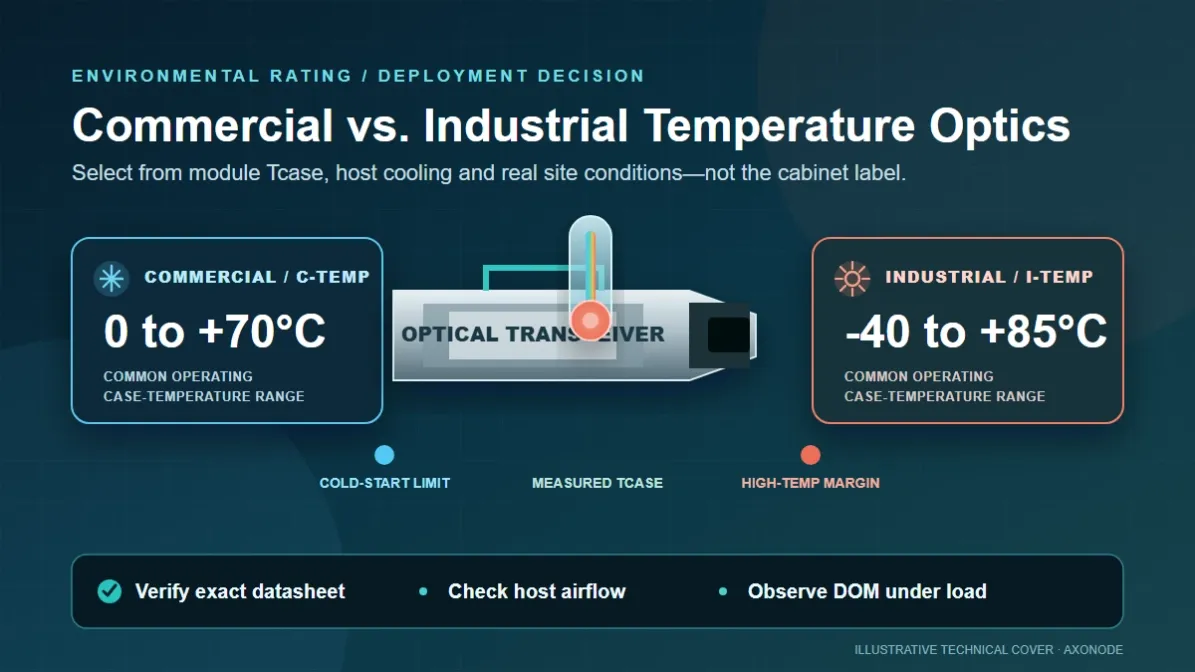
A short bench test can be useful screening, but we would not describe it as qualification across the site's full temperature range. Record the conditions actually observed and what remains untested. The separate outdoor-cabinet guide covers that thermal review in more detail.
Keep a known-good, appropriately supported optic available for fault isolation and an agreed rollback path for the trial. That is especially useful when the host, fiber route and candidate module are all new to the project.
Make the second order match the first
The sample is only the beginning. For repeat orders, ask the supplier to preserve the qualified module revision, firmware and coding profile, or disclose changes before shipment. Record enough identifying information to distinguish a replacement from the unit originally evaluated.
We would put that expectation in writing: no unreviewed substitution of the qualified version. An EOS upgrade, a different line card, a changed optical peer or a module revision should trigger a review of the affected tests—not an assumption that the original result still covers everything.
This is also where an evaluation becomes useful to procurement. The approved item is a documented combination with a supplier contact and a replacement process, rather than a broad catalog description.
For a multi-platform project, carry the same identities and evidence into the mixed-vendor optics BOM checklist so procurement does not separate the part number from the host and link conditions that were approved.
Here is the compact checklist we would keep with that approval:
| Before approval | Evidence to retain |
|---|---|
| Identify both endpoints | Exact host models, line cards, ports, software releases and optical peer part numbers. |
| Identify the sample | Supplier, part number, serial number, hardware/firmware revision and coding profile. |
| Confirm the intended link | Port mode, optical interface, fiber path, loss information and applicable FEC settings. |
| Check operation over time | Test duration and traffic profile; before-and-after error counters; available DOM/FEC readings and any missing metrics. |
| Check installation and recovery | Observed temperature conditions, port population, recovery results, remaining limitations and rollback method. |
| Control repeat orders | Approved revision, change-notification agreement, support contacts and acceptance decision. |
This is a suggested acceptance record, not an Arista certification checklist. A sample result applies to the conditions and combination documented; it does not certify an entire product family or guarantee future operation.
Where Axonode fits
For a new project, Axonode can help organize one host configuration and one optic type into a bounded review: what is known, what still needs testing and which details must stay unchanged for repeat orders. Where the exact host has not been validated, that boundary should remain explicit.
Review the available compatible-optics options, then send the full Arista model, EOS version, port mode, proposed optic or link distance, and far-end optic details through the Axonode contact page. That is enough to start narrowing the requirements without asking you to prepare a complete network design first.
jenny@axonodesolution.com
Axonode is an independent optics supplier. References to Arista identify the intended host platform; they do not imply Arista certification, endorsement or a support commitment.