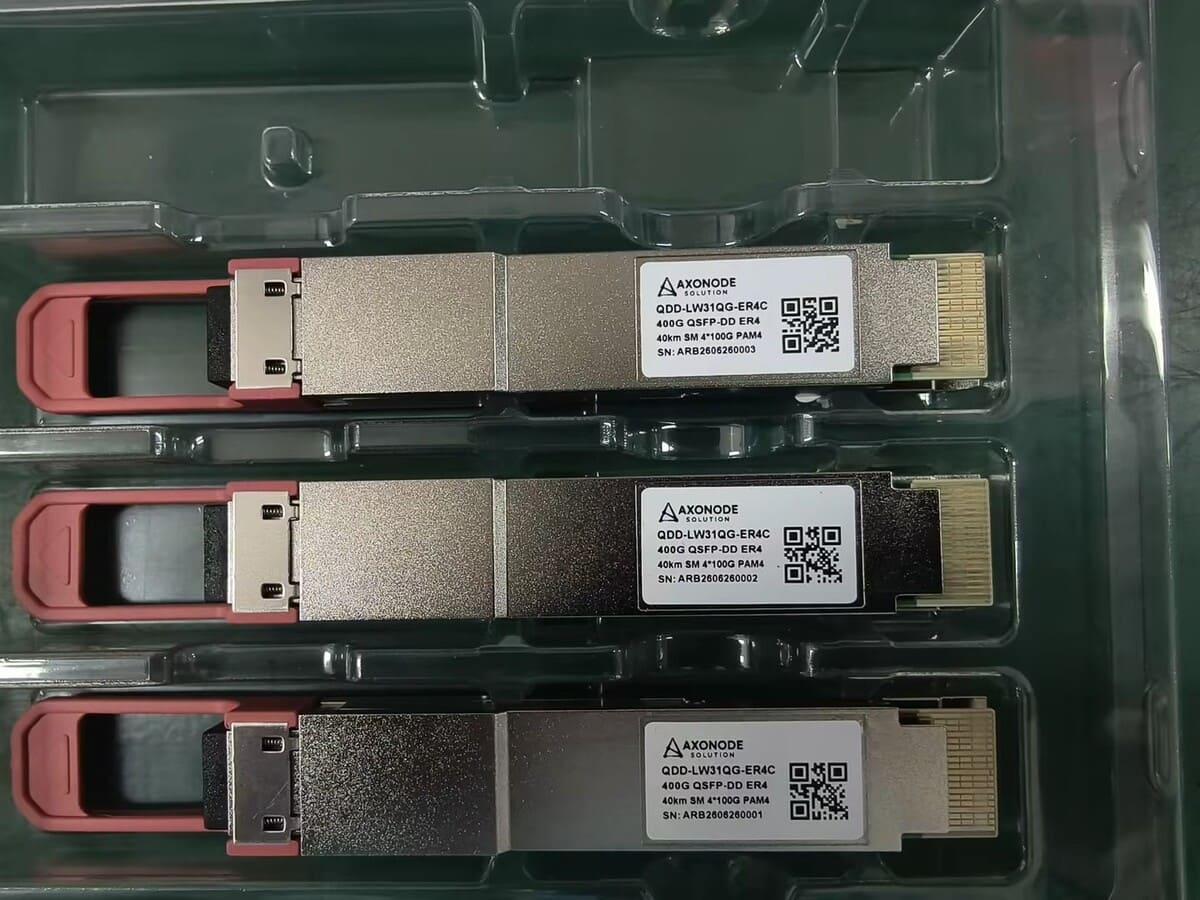
Optical Transceiver Change Window: Pre-Checks, Acceptance and Rollback
Plan an optical transceiver change window with pre-change evidence, link acceptance criteria, rollback triggers and records for post-change support.
A transceiver swap can look like a five-minute hardware job — until the link will not come up, the received power sits outside the receiver window, or no one can say what the original port looked like. For a cooperative or rural ISP production link, the work is not the physical swap: it is controlling the host, fiber, configuration, optical window and rollback decision, starting from a recoverable original state and ending with measurable acceptance evidence.
Use this workflow for a planned optic replacement, reach change, compatible-optics migration or capacity upgrade. Adapt the steps to the equipment owner's approved change process.
Go / no-go at a glance
| Phase | Check before you proceed | If the answer is no |
|---|---|---|
| 1 — Pre-checks | Is the original state recorded and recoverable, and is the exact target module verified for this host and route? | Do not open the window until the baseline, compatibility and optical window are verified. |
| 2 — Acceptance | Are the acceptance criteria, observation period and evidence to be recorded stated before the swap? | Do not treat link-up alone as acceptance. |
| 3 — Rollback and closeout | Is a rollback owner, trigger and latest safe decision time named in advance? | Pause, or roll back using the pre-approved plan, rather than improvising. |
Where the plan needs an exact transmitter, receiver or loss figure, confirm it against the module datasheet / supplier for the exact part on the actual route — do not use a nominal reach or a figure from a different part.
Pre-Checks Before the Window
Complete these four steps before the window opens: define one controlled change, capture the baseline, verify the target module and link, and stage the site and rollback kit. Nothing in this phase should be decided during the swap.
Define One Controlled Change
State exactly what will change and what will remain stable. Identify the service, endpoints, host ports, current modules, target modules, patching, configuration and expected impact.
Avoid combining several unrelated changes unless the plan specifically controls their interaction. Changing optics, fiber routing, port configuration and software at the same time makes a failed result harder to isolate.
Name these roles before the window:
- change owner;
- technical approver;
- operations contact;
- person authorized to order rollback.
Capture the Pre-Change Baseline
Before the window, save evidence from both endpoints:
- equipment, line card/NIC, port and software version;
- current module identity and coding/profile;
- link state, speed, interface and FEC configuration;
- Tx/Rx optical readings when supported and required;
- relevant alarms, error and FEC counters;
- traffic or service baseline;
- fiber route, connector path and measured/documented loss;
- original patch positions and labels.
DOM/DDM can provide useful operating evidence, but it does not prove complete compatibility or replace the required cable-plant measurements. See what DOM/DDM can and cannot verify.
Verify the Target Module and Link Before the Window
| Check | Approval question |
|---|---|
| Product identity | Is the exact rate, form factor, interface, connector and wavelength/pair correct? |
| Host compatibility | Are the platform, port, software, coding, monitoring and FEC/mode requirements covered? |
| Optical window | Does the complete route fit both the low-power and maximum-receiver-input boundaries? |
| Topology | Are duplex polarity, BiDi complementary wavelengths or WDM channels mapped correctly? |
| Evidence level | Is specification review sufficient, or is controlled sample validation required before production change? |
| Recovery | Are the original module, patching, configuration and decision owner ready for rollback? |
Do not approve the change from nominal reach alone. Compare the exact transmitter and receiver specifications with the actual route. Where a specific transmitter, receiver or loss figure is needed, confirm it against the module datasheet / supplier.
The optical transceiver upgrade checklist provides a broader port-audit and BOM process.
Prepare the Site and Rollback Kit
Stage only the verified components. Label the target modules by endpoint. For BiDi, keep the complementary pair distinct; for WDM, label the channel. Verify connector and patch-cord type before the window.
Prepare:
- target and known-good spare modules;
- original modules retained in identified positions;
- approved patch cords, adapters and validated attenuators;
- inspection and cleaning tools required by site procedure;
- saved configuration and original port settings;
- access, console and escalation path;
- rollback checklist and latest safe decision time.
A component should not enter the rollback kit merely because it is mechanically similar.
Acceptance Checks During and After the Swap
In this phase, change one thing at a time, capture evidence at each step, and judge the result against the criteria agreed before the window — not against whether the link merely comes up.
Execute One Evidence-Preserving Sequence
- Confirm the change authorization, service impact and communication channel.
- Recheck the pre-change state and note any deviation from the baseline.
- Shut or isolate the interface as required by the equipment procedure.
- Record and remove the original module and patching without losing endpoint identity.
- Inspect and clean connections under the approved process.
- Install the correct target module at each endpoint and restore the mapped patching.
- Apply only the approved port, speed, FEC or interface configuration.
- Capture recognition, link state, alarms, optical readings and counters.
- Run the defined service tests and observation period.
- Accept or roll back using the pre-approved criteria.
If a step reveals an unexpected host, route or product identity, pause the change rather than adapting the requirement from memory.
Use Measurable Acceptance Criteria
Acceptance should be stated before the window. Depending on the service and equipment, it can include:
- both endpoints recognize the intended module/interface;
- stable link at the approved rate and FEC/mode;
- received power inside the verified operating window in both directions;
- no unexpected alarms and error counters inside the owner's limit;
- service or traffic tests pass;
- protection behavior remains as designed;
- the observation period completes without a rollback trigger.
Do not use “link is green” as the entire acceptance plan. Record the actual readings and tests.
Rollback Decision and Closeout
Decide rollback on the triggers and latest safe time agreed before the window, restore the recorded original state, and close the change with a support record — whether the new module was accepted or rolled back.
Trigger Rollback Without Improvisation
Define rollback triggers before the window, such as:
- failure to establish the approved interface;
- received power outside the verified window;
- persistent unexpected errors;
- service-test failure;
- insufficient time to complete the observation period.
The rollback plan should state:
- who makes the decision;
- the latest safe time to start restoration;
- the original module and patch identity;
- the configuration to restore;
- the checks required to confirm the original service state;
- how evidence and failed components will be preserved.
Rollback is not a failure of planning. It is a controlled outcome when the new state cannot be accepted safely.
Close the Change With a Support Record
After acceptance or rollback, update the port map, module/serial record where required, wavelength/channel plan, optical baseline, software/configuration reference, spare inventory and open-issue list.
If a unit is suspected of failure, preserve its identity, host context, readings and substitution result. The optical transceiver RMA checklist helps prepare a reviewable return record.
Final Change Window Checklist
- Scope, endpoints, impact and authorized roles are clear.
- The original state is fully recorded and recoverable.
- Exact target modules, endpoint roles and host compatibility are verified.
- The route fits the low- and high-power receiver boundaries.
- Duplex polarity, BiDi pairing or WDM channels are mapped.
- Site tools, spares, patching and access are ready.
- Acceptance criteria and observation period are measurable.
- Rollback trigger, owner and latest decision time are approved.
- Final inventory, port map, evidence and exceptions will be updated.
Frequently Asked Questions
Should a transceiver change be treated as a formal change window?
Use the operator's process. A module change can affect service, compatibility, optical power and configuration, so planned control is appropriate for production links.
What should be recorded before removing the old module?
Record its identity, endpoint, patching, port configuration, link state, optical readings, alarms, counters and service baseline.
Is a successful link-up enough to accept the change?
No. Apply the approved optical, interface, error, traffic/service and observation criteria at both endpoints.
When should rollback begin?
Begin when a defined trigger is reached or when the remaining window cannot support safe completion and observation. The authorized owner should make the decision.
Can a known-good spare be a different reach class?
Only after its host support and both low- and high-power operating conditions are verified for the actual route. Do not substitute from nominal reach alone.
Send Your Platform, Distance and Quantity to Check Options
Before the window opens, send your platform, distance and quantity, with the endpoint hosts, current and target modules, route loss, baseline readings, acceptance criteria and rollback constraints if you have them. Axonode can help identify compatibility and optics questions that should be resolved before the production change begins, and check the options against the module datasheet / supplier.
Send your platform, distance and quantity to check options