How to Use One 100G Port for 4x25G Servers?
One 100G QSFP28 port can feed four 25G servers with a breakout cable or optics. This guide shows the three ways to do it, the setup steps and the checks that stop a one-server-down surprise.
Bottom line: One 100G QSFP28 port can feed four 25G servers with a breakout cable or optics, if the switch port supports 4x25G breakout and the cable, optics and server cards match.
How can one free 100G port feed four servers?
You have four servers with 25G network cards, and one free 100G port on the switch. Buying a bigger switch or a second switch is not the plan. A 100G-to-4x25G breakout lets that single QSFP28 port feed all four servers, each at 25G — if the port, the cable and the server cards all agree.
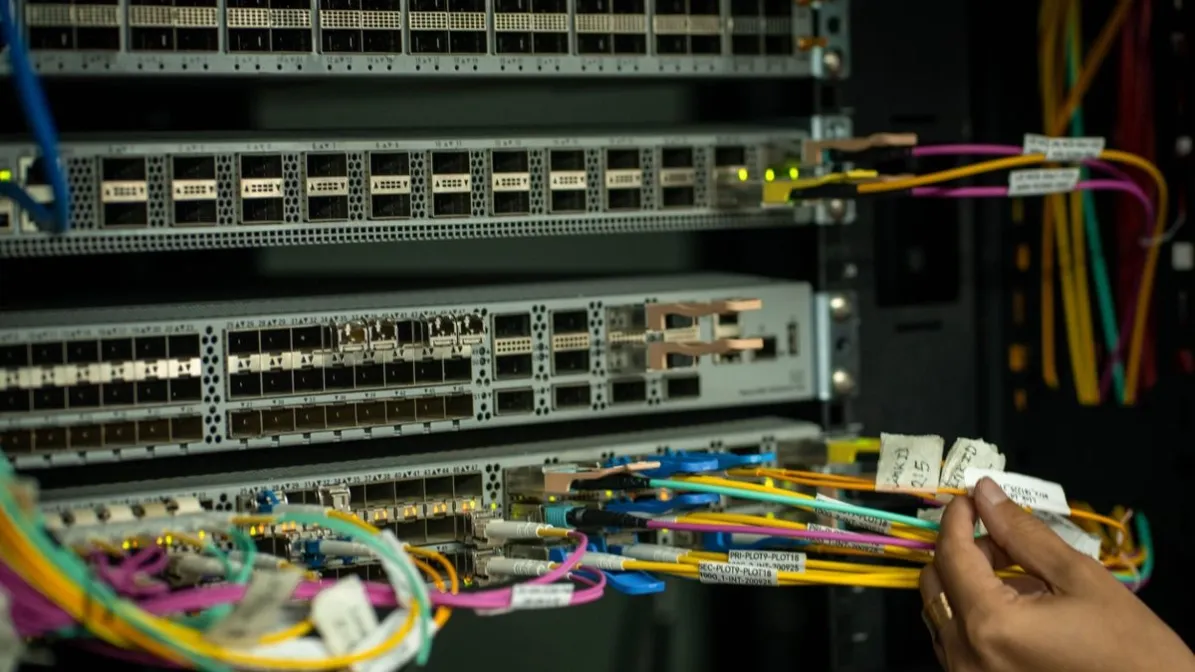
A QSFP28 port carries four electrical lanes at 25G each. In normal 100G mode those lanes work together as one 100G link. In breakout mode the switch treats each lane as its own 25G interface, with its own speed, configuration and link state. That is the whole idea: one physical port, four independent 25G connections.
How the four lanes map to the four servers
| QSFP28 lane | Becomes | Connects to |
|---|---|---|
| Lane 0 | 25G interface 1 | Server 1, 25G NIC |
| Lane 1 | 25G interface 2 | Server 2, 25G NIC |
| Lane 2 | 25G interface 3 | Server 3, 25G NIC |
| Lane 3 | 25G interface 4 | Server 4, 25G NIC |
Label each leg when you install it. If lane 1 is down and the labels are wrong, you will troubleshoot the wrong server. The mapping is the same on every breakout, so a label that matches the lane number is the cheapest insurance in the whole job.
What are the three ways to connect the four servers?
| Way | What you buy | Best for | Watch out for |
|---|---|---|---|
| Breakout DAC | One QSFP28 to four SFP28 copper cable | Servers in the same rack or an adjacent rack | Fixed length and copper reach; check the cable length before ordering |
| Breakout AOC | One QSFP28 to four SFP28 active optical cable | Short fiber links between racks | Pre-terminated ends; check length and connector type |
| Optics + fanout | One QSFP28 SR4 optic, one MPO fanout cable, four SFP28 SR optics | When the far ends need separate optics, or distances and fiber runs vary | MPO polarity, connector gender, fiber type and the matching optic on each server |
With optics, the usual choices are SR4 on multimode fiber for links up to about 100 m, and PSM4 on single-mode fiber for links up to about 500 m. Confirm the reach and the fiber type for the exact optics you buy against the supplier datasheet. Do not mix multimode and single-mode optics on the same leg.
How do you set up a 100G-to-4x25G breakout in five steps?- Confirm the switch port can break out: Not every QSFP28 port on every switch supports 4x25G breakout. Check the switch documentation for this exact port and software version before ordering anything.
- Configure the port as 4x25G: Set the port to breakout mode and confirm that four 25G interfaces appear, one per lane. If only one 100G interface appears, the port is not in breakout mode.
- Connect one server at a time: Connect the first server, confirm its link comes up at 25G, then move to the next. Connecting all four at once makes a bad cable or a bad optic hard to find.
- Match the server NIC settings: Confirm the server NIC is set to 25G and that forward error correction matches on the switch and the NIC. A settings mismatch is a common reason a 25G link stays down while the cable and optics are fine.
- Test each server under load: Check link state, errors and throughput on each of the four servers separately. A breakout that works for three servers and not the fourth is a per-leg problem, not a port problem.
What should you check on the servers before you blame the switch?
| Check | What to confirm |
|---|---|
| NIC | The server NIC is a 25G SFP28 card, seated and recognized |
| Driver and firmware | The NIC driver and firmware support 25G on this server |
| Optic or cable end | The SFP28 end matches the leg: optic type, fiber type and connector |
| Speed and FEC | Speed and error-correction settings match the switch interface for that lane |
| Physical path | The cable or fiber for that leg is labeled, undamaged and fully seated at both ends |
When is a breakout the wrong answer?
Breakout is a good way to use a spare 100G port. It is not the right answer for every server.
- A server needs more than 25G: If a server needs 50G or 100G, give it a full port. A 25G leg cannot carry more than its lane.
- One link must survive a port failure: All four servers share one switch port and one QSFP28 module. If that port or module fails, all four servers lose their link. For servers that need redundant uplinks, plan a second path.
- The port does not support breakout: Some ports are 100G-only. No cable will change that — check the documentation first.
What should you check if one server is down and the other three are fine?
| Symptom | Check first |
|---|---|
| One server has no link | That leg's cable or optic, the SFP28 end, and the NIC setting for that server |
| Link flaps on one server | That leg's connectors, the fiber or copper run, and error counters on that interface |
| All four servers are down | The QSFP28 end, the breakout configuration, and the switch port itself |
| Speed shows 10G instead of 25G | The NIC speed setting and whether the optic or cable end is a 10G part by mistake |
What do buyers ask most about using one 100G port for 4x25G servers?
Can any 100G port break out to 4x25G?
No. Breakout has to be supported by the switch hardware and software for that exact port. Confirm it in the switch documentation before ordering a breakout cable or optics.
Do the four servers have to be the same?
No, but each server needs a 25G SFP28 NIC, and each leg has to be configured and tested on its own. Mixed servers are fine; mixed optics on one leg are not.
Can I use a 100G LR4 optic for a breakout?
No. LR4 is a single-lane 100G optic, not a four-lane parallel optic, so it cannot split into four 25G legs. Use SR4 or PSM4 optics for a breakout, and confirm the type against the supplier datasheet.
Is a breakout slower than four separate 100G ports?
Each server gets 25G, not 100G. That is the trade-off: one port serves four servers at 25G each, instead of one server at 100G.
What is the next step before ordering?
If you have a free 100G port and four 25G servers to connect, start with the switch model, the server NICs and the distances. As a supply-chain partner, Axonode can help confirm the cable or optics for your setup. Contact us and send your platform, distance and quantity to confirm the options before ordering.